
Makerspace booking and management software
Online booking, inductions, memberships, check-in, events and payments. One system, set up around how your space works.
Everything happens on their phone
Members book, pay, check in and claim rewards themselves, so your team spends less time on admin.
PLACE

Bench booked
Medium bench, Tuesday 6 and Wednesday 7 October. See you then.
View bookingsPLACE
Training needed first
Book the CNC metal mill course and you'll be able to book the mill once you're signed off.
Book course · £60Course booked
Saturday 10 October, 10:00. We'll unlock the mill for you when you're signed off.
DonePLACE
Welcome to Studio
Your first payment of £350 will be taken on 1 November. Your studio key is ready at the front desk.
Go to my dashboardPLACE
Checked in, 09:42
Your bench is ready. Have a good day.
DonePLACE
Place booked
Intro to CNC routing, Saturday 10 October. Your ticket is in your inbox.
Add to calendarPLACE
15% off business insurance
Get a quote online and the discount is applied for you. You'll also get £20 to spend at Maker Place.
Get a quoteRun the whole space from one place
Every booking, member, payment and induction, kept up to date for you.
A booking calendar that keeps up
See every machine session, bench, induction and course for the day or the week. Bookings that need a technician are flagged so nothing gets missed.
- Hourly and daily schedules, with drag and drop to move bookings
- Machines that need a technician are flagged until someone's assigned
- Book on behalf of members at the desk or over the phone
PLACE

 Aisha Khan09:00–11:00
 Grace Lowe13:00–15:0011:00–13:00
 Tom Becker09:30–11:30
 Sam Fisher12:00–13:00 · New
 Mel Carter14:00–16:00
Inductions and training records
Link each machine to the induction or course it needs. When a technician signs a member off, the machine unlocks for them straight away.
- A clear record of who's trained on what, and when
- Members are offered the right induction automatically
- Sign off from your phone on the workshop floor
Pete Hall · Inductions
Memberships that renew themselves
Set up plans with monthly credits and member discounts in a minute. Payments are collected by Direct Debit on time, every month.
- Weekly, monthly or day-pass plans
- Credits and member discounts applied at checkout
- Terms accepted at sign-up and kept on record
Edit plan · Studio
Check-in and visitors
Members check in with a QR code and guests sign in at reception, so you always know who's in the building.
- Who's on site now, at a glance
- Members invite guests with a QR pass
- Visitors accept your site rules when they sign in
On site now

Events and courses
Sell places on courses, workshops and open evenings. Payment is taken when members book, and the attendee list builds itself.
- Capacity limits, so you never oversell
- Member prices and free events
- Attendee lists you can print or export

Intro to CNC routing
Saturday 10 October, 10:00 to 16:00
Payments and refunds
Members pay when they book. If plans change, refund to their card or their account balance in a couple of clicks.
- Card payments and Direct Debit
- Refunds, credit notes and refund requests in one list
- Money paid out to your bank
Refund requests
Member Rewards
Choose which offers your members see. When they take one up, you earn a share of the commission and they get bonus money to spend with you.
- Insurance, bank accounts, van hire, broadband and more
- Switch offers on or off for your members
- Members get money on their balance to spend at your space
- See what you've earned each month
Offers for your members
+£50.00to Pete's balance, to spend at Maker PlaceReports and accounts
See income, machine use and new members over time. Export to Xero or QuickBooks so your books are always up to date.
- Income by product, plan and month
- Export to CSV, Xero or QuickBooks
- VAT and account codes mapped for you
Income · last 6 months
The details that save time
Sign in without passwords
Members and staff sign in with Google, Apple, Microsoft or a one-time code sent to their email. No passwords to forget or reset.
Works on any phone, no app
SimpliPlaces runs in the browser on any phone, tablet or computer, so members don’t need to download anything.
Refer a friend rewards
Members share a personal link. When a friend joins and pays for their first membership, both get money on their balance to spend with you. You choose the amounts.
Terms accepted at sign-up
New members accept your membership terms when they join. Publish a new version whenever you change them, and choose whether existing members accept it again.
Email members
Send announcements to everyone, or news to a chosen group by membership or booking, straight from your admin. Available as an add-on.
Your own branding
Your logo, background colour and font across the member app, sign-in pages and admin. Available as an add-on.
Account balance and credits
Each member has an account balance, a promotional balance and credits. Refunds, rewards and plan credits go onto their balance to spend on bookings.
We'll move you over
Send us a spreadsheet or an export from your current system and we’ll set up your members, plans, prices and products for you.
Can members book machines, benches and storage online?
Yes. Members book anything you set up, by the slot, hour, day or month, from their phone or computer at any time.
How does induction control work?
Each machine can be linked to the induction or course it needs. Members who haven't been signed off are offered that induction instead, and the machine unlocks once a technician signs them off.
Can I flag machines that need a technician?
Yes. Bookings for those machines show as unassigned on the schedule until a technician is assigned.
Do memberships renew automatically?
Yes. Membership payments are collected by Direct Debit, and credits and discounts reset each period.
Can I run courses and events?
Yes. Set the number of places and the price, and members book and pay online. You get the attendee list automatically.
Does it work on mobile?
Yes. Members and staff use SimpliPlaces in the browser on any phone, tablet or computer.

See it working in your space
Get started, or try the demo to see what your members see.
Shared kitchen booking and management software
Station and equipment booking, inductions, food safety documents, memberships, events and payments. One system, set up around how your kitchen works.
Everything happens on their phone
Members book, pay, check in and claim rewards themselves, so your team spends less time on admin.
KITCHEN
Shifts booked
Cold prep and pastry station, Tuesday 6 and Wednesday 7 October, morning shifts.
View bookingsKITCHEN
Induction needed first
Book the combi oven induction and you'll be able to book the oven once you're signed off.
Book induction · £25Induction booked
Thursday 8 October, 07:00. We'll unlock the combi oven for you when you're signed off.
DoneKITCHEN
Welcome to Part-Time
Your first payment of £390 will be taken on 1 November. Book your first shift whenever you're ready.
Go to my dashboardKITCHEN
Checked in, 09:42
Your station is ready. Have a good shift.
DoneKITCHEN
Place booked
Members supper club, Friday 16 October. Your ticket is in your inbox.
Add to calendarKITCHEN
15% off business insurance
Get a quote online and the discount is applied for you. You'll also get £20 to spend at Foundry Kitchen.
Get a quoteRun the whole kitchen from one place
Every booking, member, payment and induction, kept up to date for you.
A booking calendar that keeps up
See every shift, equipment slot, induction and event for the day or the week. Bookings that need a technician are flagged so nothing gets missed.
- Hourly and daily schedules, with drag and drop to move bookings
- Equipment that needs a technician is flagged until someone's assigned
- Book on behalf of members at the desk or over the phone
KITCHEN
Aisha Khan09:00–11:00Grace Lowe13:00–15:0011:00–13:00Tom Becker09:30–11:30Sam Fisher12:00–13:00 · NewMel Carter14:00–16:00Inductions and training records
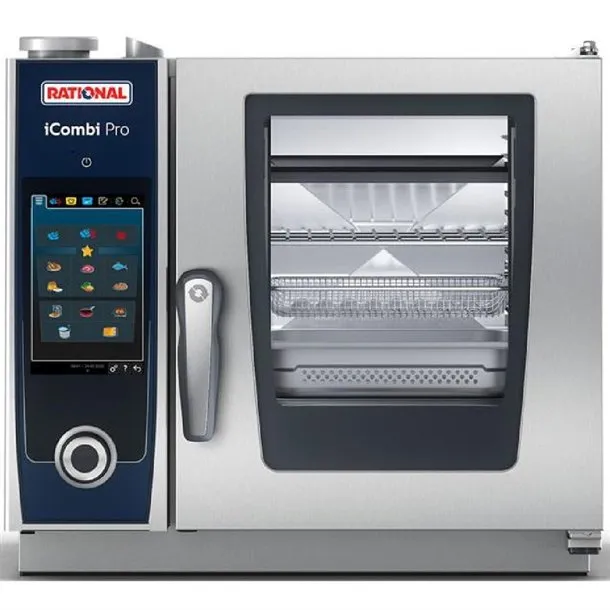
Link each piece of equipment to the induction it needs. When a technician signs a member off, it unlocks for them straight away.
- A clear record of who's trained on what, and when
- Members are offered the right induction automatically
- Sign off from your phone in the kitchen
Mel Carter · Inductions

Memberships that renew themselves
Set up plans with monthly credits and member discounts in a minute. Payments are collected by Direct Debit on time, every month.
- Part-time, full-time and private kitchen plans
- Credits and member discounts applied at checkout
- Terms accepted at sign-up and kept on record
Edit plan · Part-Time
Check-in and visitors
Members check in with a QR code and guests sign in at reception, so you always know who's in the building.
- Who's on site now, at a glance
- Members invite guests with a QR pass
- Visitors accept your kitchen rules when they sign in
On site now
Events and supper clubs
Sell places on supper clubs, tastings and meet-the-buyer days. Payment is taken when members book, and the attendee list builds itself.
- Capacity limits, so you never oversell
- Member prices and free events
- Attendee lists you can print or export

Members supper club
Friday 16 October, 19:00Payments and refunds
Members pay when they book. If plans change, refund to their card or their account balance in a couple of clicks.
- Card payments and Direct Debit
- Refunds, credit notes and refund requests in one list
- Money paid out to your bank
Refund requests
Member Rewards
Choose which offers your members see. When they take one up, you earn a share of the commission and they get bonus money to spend with you.
- Insurance, bank accounts, van hire, broadband and more
- Switch offers on or off for your members
- Members get money on their balance to spend at your space
- See what you've earned each month
Offers for your members
+£50.00to Mel's balance, to spend at Foundry KitchenReports and accounts
See income, equipment use and new members over time. Export to Xero or QuickBooks so your books are always up to date.
- Income by product, plan and month
- Export to CSV, Xero or QuickBooks
- VAT and account codes mapped for you
Income · last 6 months
The details that save time
Sign in without passwords
Members and staff sign in with Google, Apple, Microsoft or a one-time code sent to their email. No passwords to forget or reset.
Works on any phone, no app
SimpliPlaces runs in the browser on any phone, tablet or computer, so members don’t need to download anything.
Refer a friend rewards
Members share a personal link. When a friend joins and pays for their first membership, both get money on their balance to spend with you. You choose the amounts.
Food safety documents
Members upload insurance, food business registration and HACCP plans, with reminders before they expire.
Email members
Send announcements to everyone, or news to a chosen group by membership or booking, straight from your admin. Available as an add-on.
Your own branding
Your logo, background colour and font across the member app, sign-in pages and admin. Available as an add-on.
Account balance and credits
Each member has an account balance, a promotional balance and credits. Refunds, rewards and plan credits go onto their balance to spend on bookings.
We'll move you over
Send us a spreadsheet or an export from your current system and we’ll set up your members, plans, prices and products for you.
Can members book stations, equipment and storage online?
Yes. Members book anything you set up, by the shift, slot, day or month, from their phone or computer at any time.
How does induction control work?
Each piece of equipment can be linked to the induction it needs. Members who haven't been signed off are offered that induction instead, and it unlocks once a technician signs them off.
Can I flag equipment that needs a technician?
Yes. Bookings for that equipment show as unassigned on the schedule until a technician is assigned.
Do memberships renew automatically?
Yes. Membership payments are collected by Direct Debit, and credits and discounts reset each period.
Can I run supper clubs and events?
Yes. Set the number of places and the price, and members book and pay online. You get the attendee list automatically.
Does it work on mobile?
Yes. Members and staff use SimpliPlaces in the browser on any phone, tablet or computer.
Coming soon · Live in November
See it working in your kitchen
Register your interest, or try the demo to see what your members see.
Coworking space booking and management software
Desk and meeting room booking, equipment, memberships, check-in, events and payments. One system, set up around how your space works.
Everything happens on their phone
Members book, pay, check in and claim rewards themselves, so your team spends less time on admin.
HOUSE
Desk booked
Hot desk, Tuesday 6 and Wednesday 7 October. See you then.
View bookingsHOUSE
Add equipment
Boardroom, Thursday 8 October, 14:00 to 16:00
Boardroom booked
Thursday 8 October, 14:00 to 16:00, with a screen and video kit. We'll have it ready for you.
DoneHOUSE
Welcome to Form House
Your first payment of £250 will be taken on 1 November. Your desk and key card are ready at reception.
Go to my dashboardHOUSE
Checked in, 09:42
Have a good day. Your meeting room is booked for 13:00.
DoneHOUSE
Place booked
Founders breakfast, Friday 9 October. Your ticket is in your inbox.
Add to calendarHOUSE
15% off business insurance
Get a quote online and the discount is applied for you. You'll also get £20 to spend at Form House.
Get a quoteRun the whole space from one place
Every booking, member, payment and visitor, kept up to date for you.
A booking calendar that keeps up
See every desk, meeting room and event booking for the day or the week, and move bookings when plans change.
- Hourly and daily schedules, with drag and drop to move bookings
- Room set-up and equipment requests shown on each booking
- Book on behalf of members at the desk or over the phone
HOUSE
Aisha Khan09:00–11:00Grace Lowe13:00–15:0011:00–13:00Tom Becker09:30–11:30Sam Fisher12:00–13:00 · NewMel Carter14:00–16:00Meeting rooms and equipment
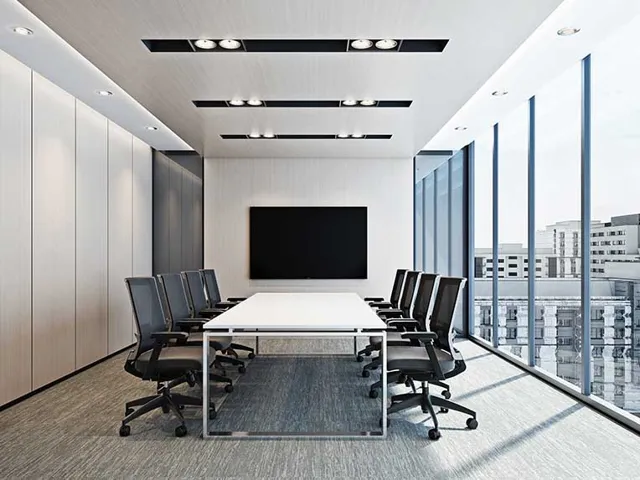
Members add screens, projectors and video kit when they book a room. Your team sees what each room needs and marks it ready.
- Equipment with its own prices and stock
- A set-up list for each day, room by room
- Mark rooms ready from your phone
Room set-up · Thursday


Memberships that renew themselves
Set up plans with monthly credits and member discounts in a minute. Payments are collected by Direct Debit on time, every month.
- Flexi, dedicated desk and private office plans
- Credits and member discounts applied at checkout
- Terms accepted at sign-up and kept on record
Edit plan · Dedicated desk
Check-in and visitors
Members check in with a QR code and guests sign in at reception, so you always know who's in the building.
- Who's on site now, at a glance
- Members invite guests with a QR pass
- Visitors accept your site rules when they sign in
On site now
Events
Sell places on talks, workshops and socials. Payment is taken when members book, and the attendee list builds itself.
- Capacity limits, so you never oversell
- Member prices and free events
- Attendee lists you can print or export
Founders breakfast
Friday 9 October, 08:30Payments and refunds
Members pay when they book. If plans change, refund to their card or their account balance in a couple of clicks.
- Card payments and Direct Debit
- Refunds, credit notes and refund requests in one list
- Money paid out to your bank
Refund requests
Member Rewards
Choose which offers your members see. When they take one up, you earn a share of the commission and they get bonus money to spend with you.
- Insurance, bank accounts, van hire, broadband and more
- Switch offers on or off for your members
- Members get money on their balance to spend at your space
- See what you've earned each month
Offers for your members
+£50.00to Sam's balance, to spend at Form HouseReports and accounts
See income, desk and room use, and new members over time. Export to Xero or QuickBooks so your books are always up to date.
- Income by product, plan and month
- Export to CSV, Xero or QuickBooks
- VAT and account codes mapped for you
Income · last 6 months
The details that save time
Sign in without passwords
Members and staff sign in with Google, Apple, Microsoft or a one-time code sent to their email. No passwords to forget or reset.
Works on any phone, no app
SimpliPlaces runs in the browser on any phone, tablet or computer, so members don’t need to download anything.
Refer a friend rewards
Members share a personal link. When a friend joins and pays for their first membership, both get money on their balance to spend with you. You choose the amounts.
Terms accepted at sign-up
New members accept your membership terms when they join. Publish a new version whenever you change them, and choose whether existing members accept it again.
Email members
Send announcements to everyone, or news to a chosen group by membership or booking, straight from your admin. Available as an add-on.
Your own branding
Your logo, background colour and font across the member app, sign-in pages and admin. Available as an add-on.
Account balance and credits
Each member has an account balance, a promotional balance and credits. Refunds, rewards and plan credits go onto their balance to spend on bookings.
We'll move you over
Send us a spreadsheet or an export from your current system and we’ll set up your members, plans, prices and products for you.
Can members book desks and meeting rooms online?
Yes. Members book anything you set up, by the slot, hour, day or month, from their phone or computer at any time.
Can members add equipment to a room booking?
Yes. Set up screens, projectors, video kit or anything else with its own price, and members add it when they book a room.
Can companies pay by invoice?
Yes, with the corporate accounts add-on. Businesses book for their team and you send them an invoice.
Do memberships renew automatically?
Yes. Membership payments are collected by Direct Debit, and credits and discounts reset each period.
Can I run events?
Yes. Set the number of places and the price, and members book and pay online. You get the attendee list automatically.
Does it work on mobile?
Yes. Members and staff use SimpliPlaces in the browser on any phone, tablet or computer.
Coming soon · Live in November
Be first to run your coworking space on SimpliPlaces
Register your interest and we'll be in touch when it goes live in November.